See who is in voice
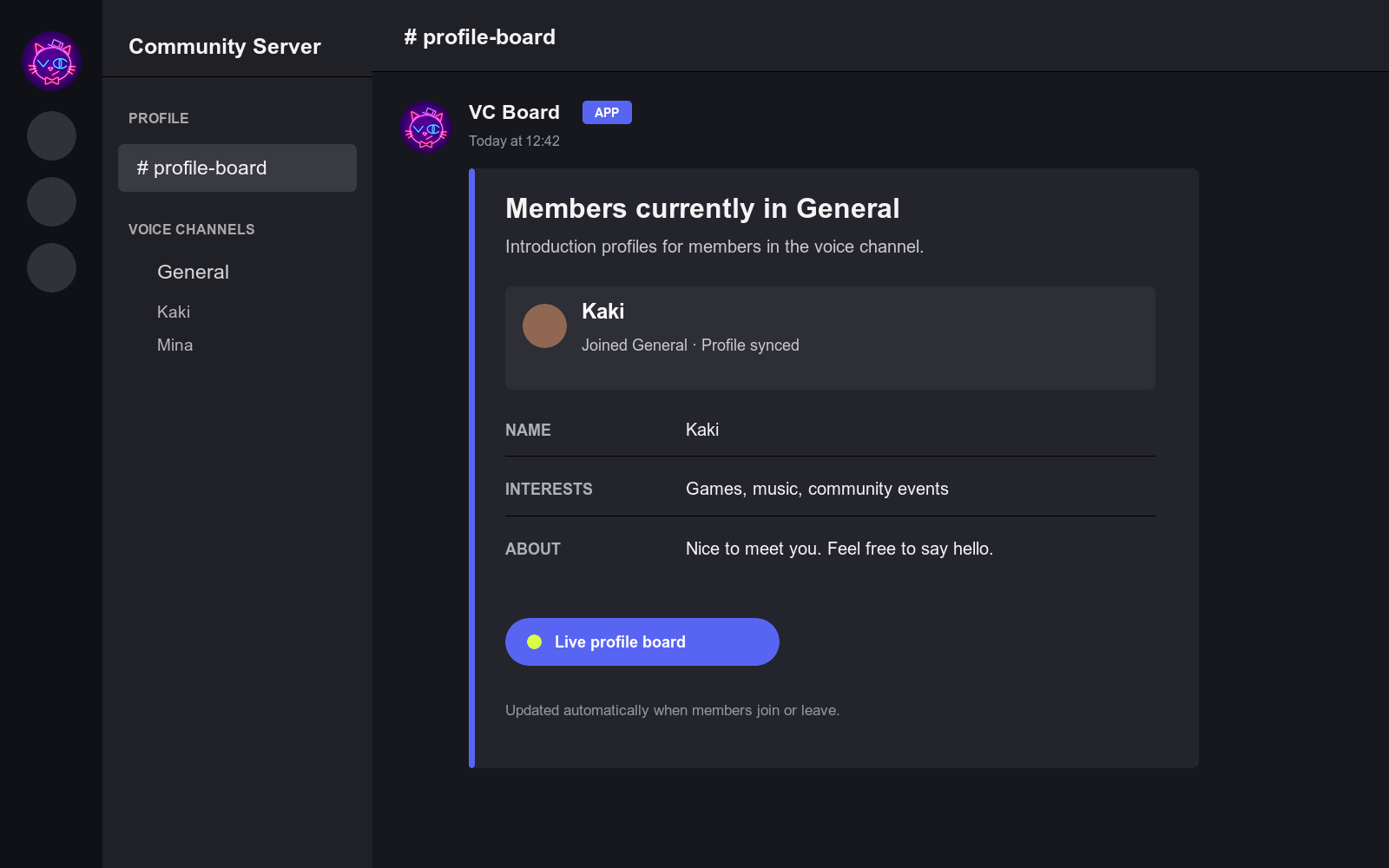
The profile board updates automatically as members join and leave the selected voice channel.
 VC Board

DISCORD PROFILE BOARD
See who is in voice
and get to know them.
Start with Free. Upgrade to Pro from inside Discord when you need more.
WHY VC BOARD
VC Board brings the people in a voice channel and the introductions they already posted in Discord into one board. New members can see who is around and find an easy way to start a conversation.
Make first conversations in voice easier.
The profile board updates automatically as members join and leave the selected voice channel.
VC Board reads the introduction channel you choose, so members do not need to enter the same profile in another form.
VC Board does not collect or store voice audio. Introduction text is read from Discord only when it is needed for display.
FREE & PRO
Start free with one voice channel. For servers using multiple or temporary voice channels, Pro automates the creation and cleanup of profile text channels.
FREE
Free
PRO
JPY 800/month (tax included)
Early offer: JPY 500/month for the first 6 months, then JPY 800/month.
Free is available immediately. To upgrade after installation, run /plan subscribe in Discord.
Adding the bot is free. Before you subscribe, Stripe Checkout opened from Discord shows the applicable price and sale terms.
PLAN COMPARISON
| Feature | Free | Pro |
|---|---|---|
| Individually registered profile target VCs | 1 per server | Up to 10 per server |
| Profile display in a fixed text channel | Yes | Yes |
| Automatic profile text channel per VC | No | Yes |
| Automatically target VCs in a selected category | No | Yes |
| Join-to-Create temporary voice channels | No | Yes |
| Profile text channel integration for temporary VCs | No | Yes |
| Custom profile fields | No | Up to 8 |
| Setup and permission diagnostics | Yes | Yes |
| Operational alerts | No | Yes |
About target VC counts: The maximum of 10 applies only to individually registered target VCs. Automatically targeted VCs in a selected category and temporary VCs are counted separately. VC Board currently sets no separate bot-specific count limit for automatically targeted VCs, but operation is affected by Discord channel and API limits and by the hosting environment.
PRO AUTOMATION
VC Board creates a profile text channel while a target voice channel has participants and deletes it when the participant count reaches zero. A configured fixed output text channel is not deleted.
Use temporary voice channels on their own, connect them to profiles, or do both on a server-by-server basis.
Members do not have to fill out another form. VC Board refers to their Discord introduction post when it displays a profile.
SETUP
Use “Add to Discord.” The person configuring it needs the Manage Server permission.
/helpReview initial setup, major commands, and official guides. The response follows your Discord language and is visible only to you.
/setup configureSelect a target voice channel, an existing introduction channel, and a fixed profile output text channel.
When settings and permissions are valid, VC Board syncs recent introduction posts and creates or updates the board automatically.
The board updates as members join and leave. Run /setup status to check settings and permissions.
With Pro managed profile text channels, choose a profile text channel category instead of a fixed output channel. If a target voice channel is empty, the profile text channel is created when someone next joins it.
If automatic setup does not finish, use /setup status to correct settings or permissions, then run /intro sync followed by /board create.
FAQ
Run /help in Discord. It summarizes initial setup, major commands, Pro features, and links to official guides. The response is visible only to you.
No. VC Board uses posts in the introduction channel you set. Pro custom fields read matching lines from that existing introduction when a profile is displayed.
No. Introduction text is retrieved from Discord when it is needed for display. VC Board stores operational data such as Discord IDs, message references, server settings, and subscription status.
You can individually register up to 10 per server. Automatically targeted VCs in a selected category and temporary VCs are counted separately, but operation is affected by Discord channel and API limits and by the hosting environment.
Yes. You can manage multiple permanent voice channels only, use the temporary voice feature on its own, or connect both.
Yes. Keep categories separate. VC Board can also link profiles to temporary voice channels created by another bot when you configure the relevant category.
No. Stripe processes card details. VC Board stores only the Stripe customer and subscription identifiers needed to synchronize subscription status.
When you cancel at the end of the billing period, Pro remains available until that period ends. An immediate cancellation returns the server to Free after VC Board receives the Stripe update.